Forum Migration Notice
Update (2026-01-12): The user forums will be put into read-only mode on the 21st of January, 00:00 CET, to prepare for the data migration.
We're transitioning to a more modern community platform by beginning of next year. Learn about the upcoming changes and what to expect.
We're transitioning to a more modern community platform by beginning of next year. Learn about the upcoming changes and what to expect.
Addin: Puime's Addin [4.0]

Sergio Puime
✭✭

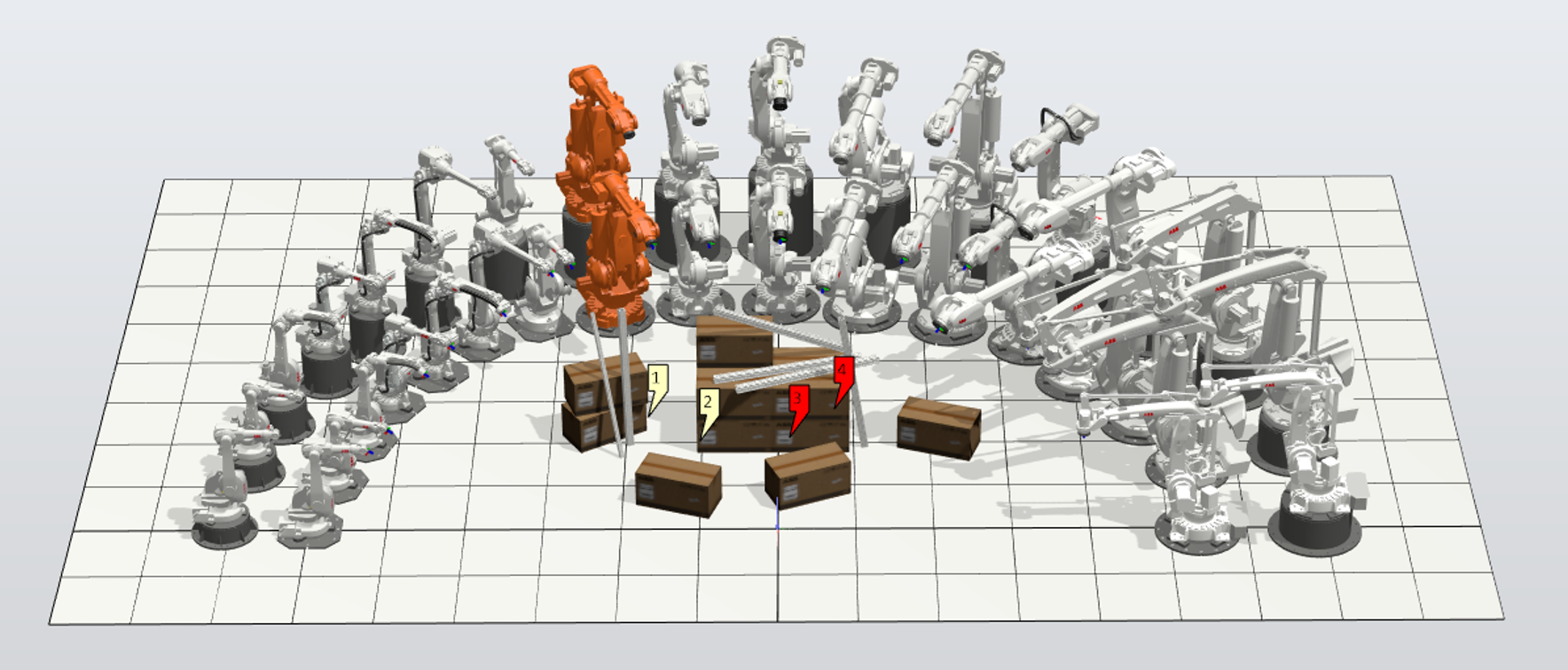
Puime’s Addin.
Version 4.0
Version 4.0
Description:
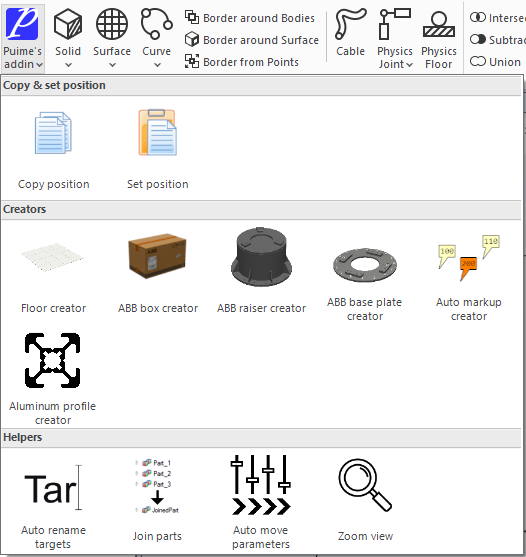
The Puime’s Addin is a RobotStudio add-in that extends RobotStudio with some useful tools. Use the add-in to copy objects position, to create a station floor, ABB boxes, ABB raisers, auto markups and aluminum profiles. It has some useful helpers like Auto rename targets, Join parts, Auto move parameters and Zoom view.
Current features:
Copy position.
Copy the position and orientation of the selected object. It only works with Parts, Targets or WorkObjects.
Set position.
Sets the previous copied position and orientation to the selected object. It only works with Parts, Targets or WorkObjects.
Floor creator.
Creates a floor in the station. Scans all the station objects position to store its bounding box and creates a box with the dimension of the bounding box plus a meter in all directions. The top face of the floor is at z0 of the station.
It’ll reset the RS floor size to match the floor and hide all the targets/frames and paths.
ABB Box creator.
Like the standard Create box, but it’ll add cardboard textures to all of the created box faces. The origin of the created box will be always in the box corner though you specified another position and orientation when you create it.
In the v2 it’ll create a preview box and accepts only one dimension value copying the preview one.
In the v2 it’ll create a preview box and accepts only one dimension value copying the preview one.
ABB raiser creator.
Creates ABB standard raisers (type A, B and C). It’ll scan all the station robots and its position to create the corresponding raiser at the robot position with the robot height.
The supported robot models are:
- Type A
IRB52, IRB1600, IRB1600ID, IRB1660ID, IRB2600, IRB2600ID, IRB4600
- Type B
IRB2400
- Type C
IRB6400R, IRB6620, IRB6640, IRB6650S, IRB6660, IRB6700, IRB7600, IRB660, IRB760, IRB460
The position must be between 300 mm and 1600 mm in 100 mm increments.
ABB base plate creator.
Creates ABB standard base plates (type A, B and C). It’ll scan all the station robots and its position to create the corresponding base plate at the robot position.
The supported robot models are:
- Type A
IRB52, IRB1600, IRB1600ID, IRB1660ID, IRB2600, IRB2600ID, IRB4600
- Type B
IRB2400
- Type C
IRB6400R, IRB6620, IRB6640, IRB6650S, IRB6660, IRB6700, IRB7600, IRB660, IRB760, IRB460
The position of the robot must be 60 mm, 70 mm, 80 mm, 90 mm, or 100 mm in height.
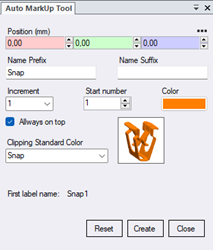
Auto markup creator.
Designed to help in the clips naming of the clipping applications. It creates a markup each time you click in the graphic window. The markup can be customized in name, color, start number, increments and you can select the standard clipping color.
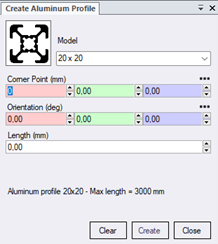
Aluminum profile creator.
Creates aluminum square profiles with custom length and selected shape.
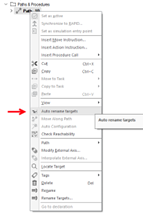
Auto rename targets.
Whit a path selected; it’ll rename the “Target_xxx” target names to “pxxx” in that path.
You can use right click mouse button to display this tool if one Path is selected.
Join parts.
Whit some parts selected, will join all the parts bodies into a single “JoinedPart” part.
You can use right click mouse button to display this tool if one or more Parts are selected.
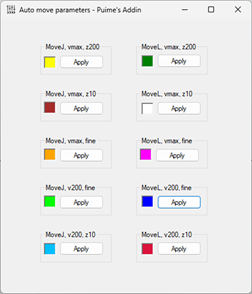
Auto move parameters.
Assign preset move parameters to the selected move instruction. When you open the tool, it opens a window with different move parameters. If a move instruction is selected in the tree, you can assign the desired parameters to the move instruction.
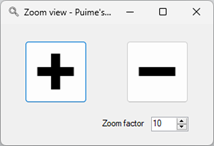
Zoom view.
Displays a window to zoom more or less with a custom zoom factor.
How to install:
Download rspak file, open the Add-Ins tab in RobotStudio, click on “Install Package” and select the PuimesAddin-4.0.rspak file. This will add an item in the “Installed Packages” section. You’ll need to restart RobotStudio in order to finish the installation.
How to use:
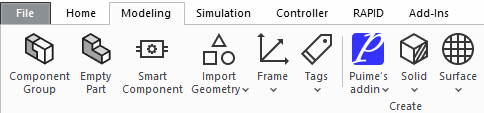
After the installation, a new ribbon group will be added to the Create group in the Modeling ribbon
tab.
Latest available version:
4.0
News in this version:
News in this version:
- Adapted to be able to works in RS2024 and RS2025. The RS2025 DistributionPackages can be at different folder.
- Aluminum profile creator tool added.
- Auto move parameters tool added.
- Zoom view tool added.
- ABB Box creator tool. Now you can change the opacity in the “ Graphic Appearance “.
- Auto rename targets tool added to the right click mouse button.
- Join parts tool added to the right click mouse button.
How to ask for support / feedback:
Write a post in this thread.
Please write feedback if the add-in is stable for you.
Sourcecode:
0
Categories
- All Categories
- 5.7K RobotStudio
- 402 UpFeed
- 21 Tutorials
- 16 RobotApps
- 307 PowerPacs
- 407 RobotStudio S4
- 1.8K Developer Tools
- 251 ScreenMaker
- 2.9K Robot Controller
- 368 IRC5
- 92 OmniCore
- 8 RCS (Realistic Controller Simulation)
- 859 RAPID Programming
- 43 AppStudio
- 4 RobotStudio AR Viewer
- 19 Wizard Easy Programming
- 111 Collaborative Robots
- 5 Job listings