Forum Migration Notice
Update (2026-01-21): The user forums are now in read-only mode pending the data migration.
Update (2026-01-12): The user forums will be put into read-only mode on the 21st of January, 00:00 CET, to prepare for the data migration.
We're transitioning to a more modern community platform by beginning of next year. Learn about the upcoming changes and what to expect.
Update (2026-01-12): The user forums will be put into read-only mode on the 21st of January, 00:00 CET, to prepare for the data migration.
We're transitioning to a more modern community platform by beginning of next year. Learn about the upcoming changes and what to expect.
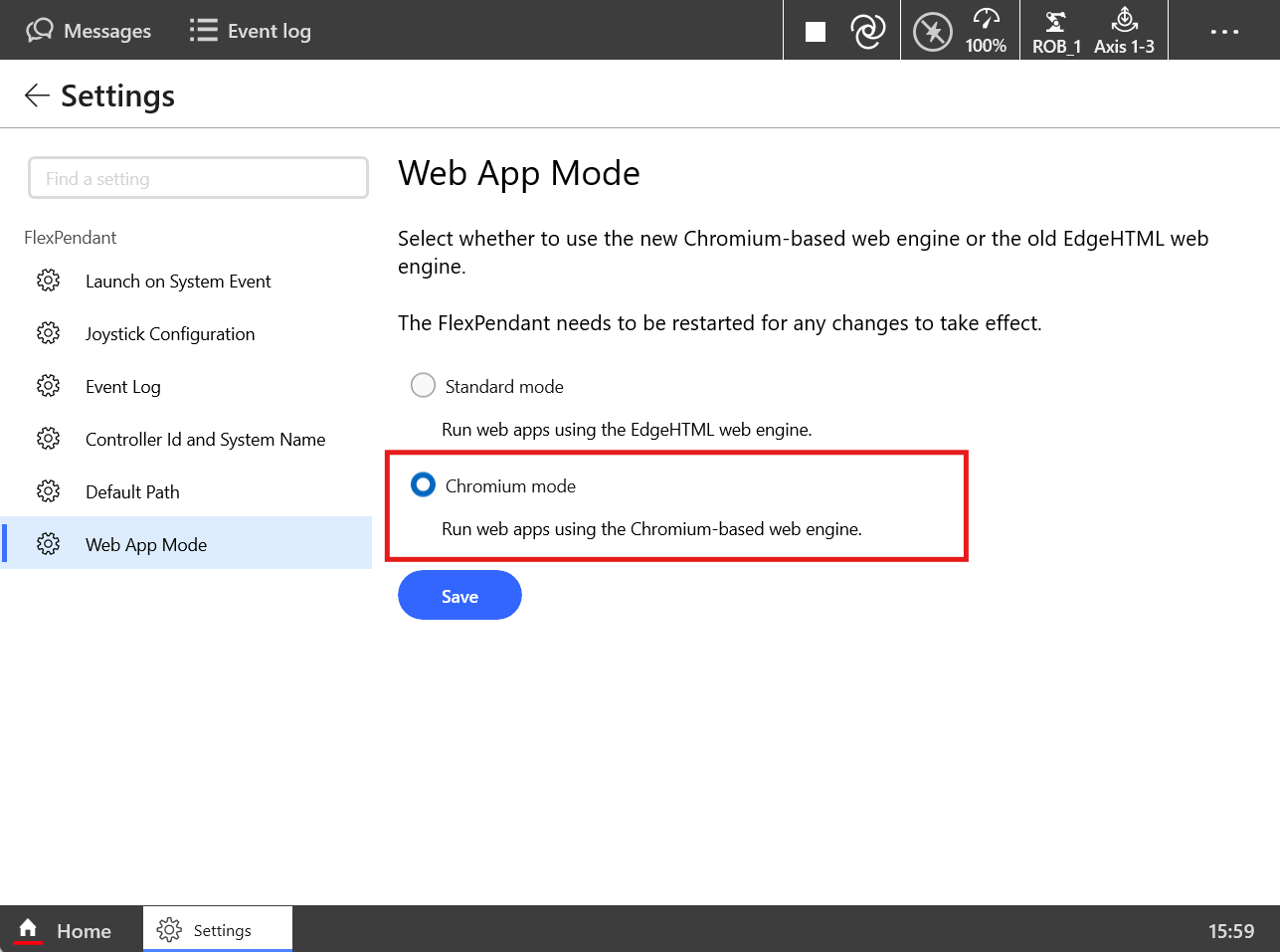
Enhance Your FlexPendant Web Application Experience: Switch to Chromium Mode

We highly recommend using the "Chromium mode" when launching the latest web applications on the FlexPendant web app mode. Chromium mode offers superior support for advanced web application styles and the most modern JavaScript syntax, ensuring a smoother and more reliable user experience.
This feature is available starting from RobotWare version 7.17, and it can be enabled on FlexPendant devices running version 1.18 or later.
Post edited by yitong on
1
Comments
-
Is there a way to set the web app mode through a config file on the robot? Also, is there a way to see what mode the system is using from a backup?
Thanks!1

Categories
- All Categories
- 5.7K RobotStudio
- 402 UpFeed
- 21 Tutorials
- 16 RobotApps
- 307 PowerPacs
- 407 RobotStudio S4
- 1.8K Developer Tools
- 251 ScreenMaker
- 2.9K Robot Controller
- 368 IRC5
- 92 OmniCore
- 8 RCS (Realistic Controller Simulation)
- 859 RAPID Programming
- 43 AppStudio
- 4 RobotStudio AR Viewer
- 19 Wizard Easy Programming
- 111 Collaborative Robots
- 5 Job listings