Forum Migration Notice
Update (2026-01-21): The user forums are now in read-only mode pending the data migration.
Update (2026-01-12): The user forums will be put into read-only mode on the 21st of January, 00:00 CET, to prepare for the data migration.
We're transitioning to a more modern community platform by beginning of next year. Learn about the upcoming changes and what to expect.
Update (2026-01-12): The user forums will be put into read-only mode on the 21st of January, 00:00 CET, to prepare for the data migration.
We're transitioning to a more modern community platform by beginning of next year. Learn about the upcoming changes and what to expect.
Pick and Place of multiple component assembly.

Stephen
✭
To date I have formed a pick and place system that moves a boss to an assembly station, then adds a pin to the boss. This assembly is then moved to a storage area. This works, but I had to modify the original 'Master modelled' CAD pin and boss, such that both part origins were in the same place at the assembly station.
The assembly of the boss and pin use 'closest object'
Using only 'Out of the Box' Smart component can you please advise on the following?
How can I assemble parts no matter where their CAD origins are
How would I assemble more than 2 components?
I am new to ABB RS, so many thanks in advance for any
hep you can give and many apologies if this is a trivial question that I
should know the answer to. [ABB RS 6.04.01 used]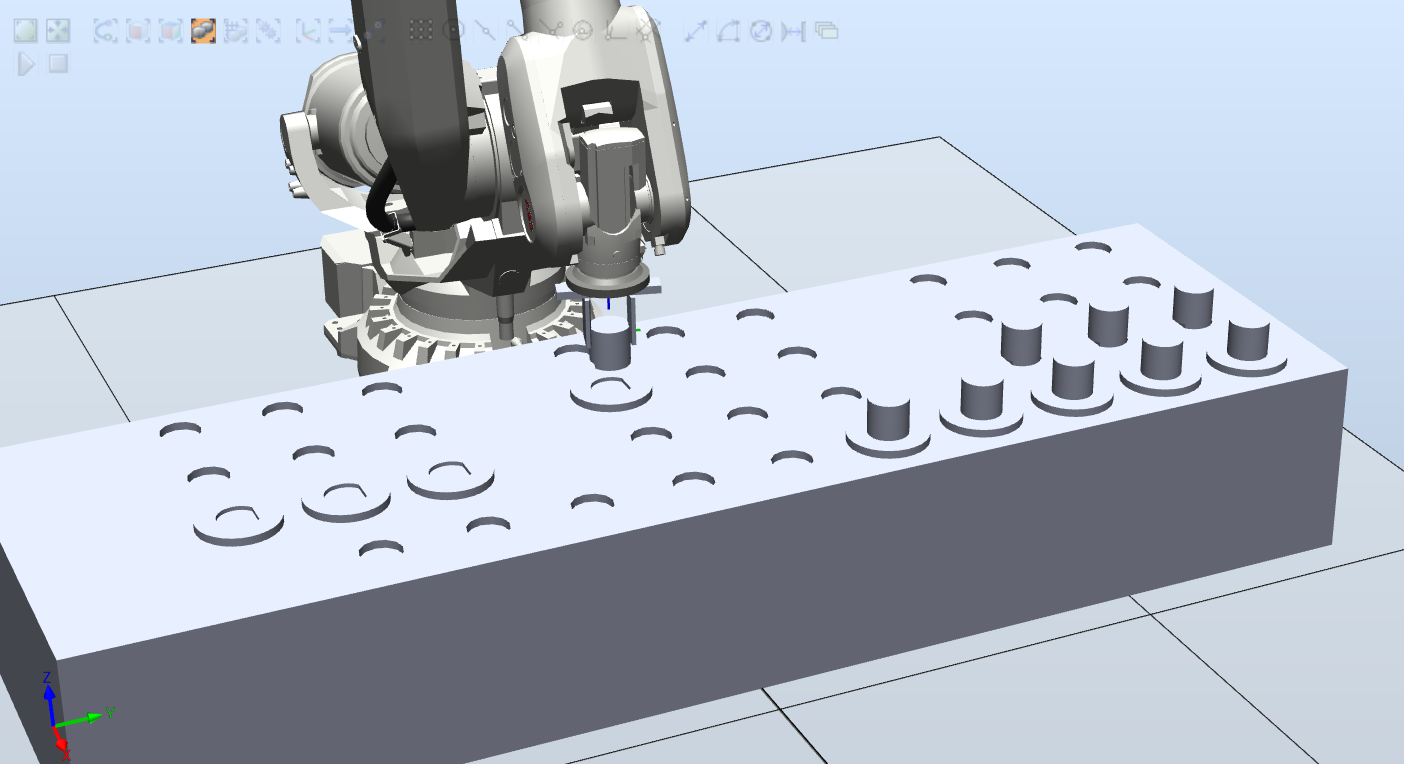

0
Categories
- All Categories
- 5.7K RobotStudio
- 402 UpFeed
- 21 Tutorials
- 16 RobotApps
- 307 PowerPacs
- 407 RobotStudio S4
- 1.8K Developer Tools
- 251 ScreenMaker
- 2.9K Robot Controller
- 368 IRC5
- 92 OmniCore
- 8 RCS (Realistic Controller Simulation)
- 859 RAPID Programming
- 43 AppStudio
- 4 RobotStudio AR Viewer
- 19 Wizard Easy Programming
- 111 Collaborative Robots
- 5 Job listings