Update (2026-01-12): The user forums will be put into read-only mode on the 21st of January, 00:00 CET, to prepare for the data migration.
We're transitioning to a more modern community platform by beginning of next year. Learn about the upcoming changes and what to expect.
Machining PowerPac – Automatic Placement of Projection Curve

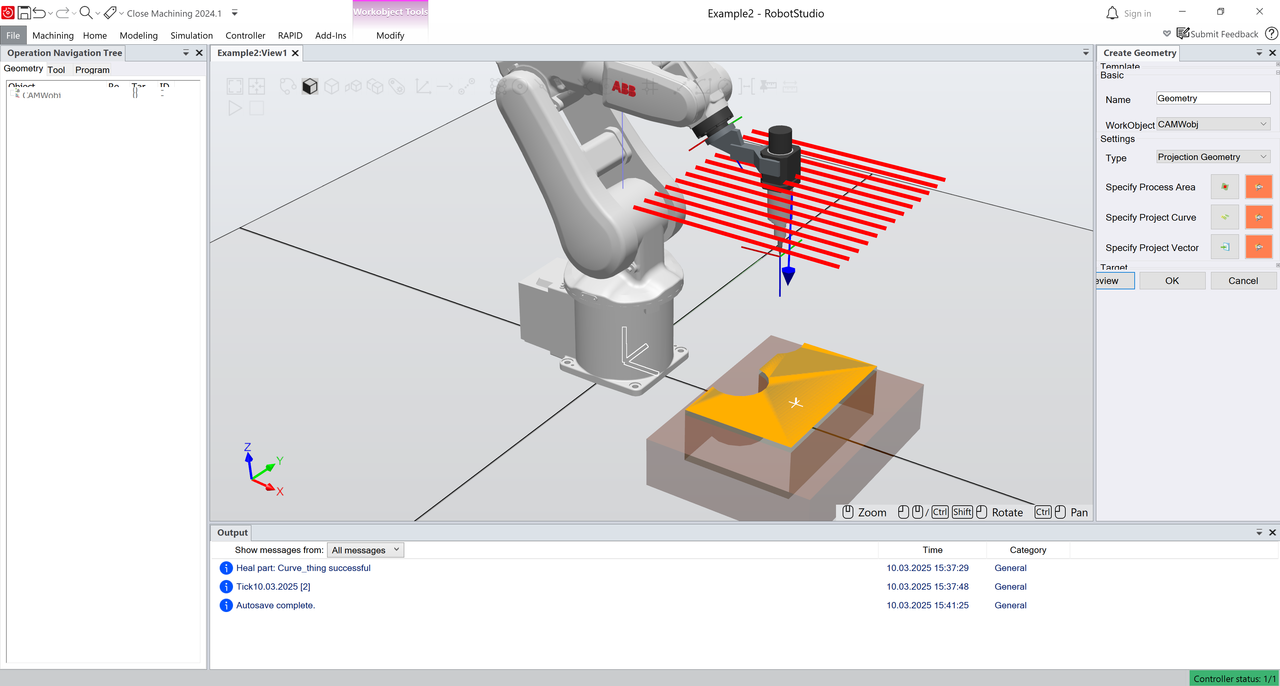
 Hello, I am
experiencing an issue with the automatic placement of the projection curve in
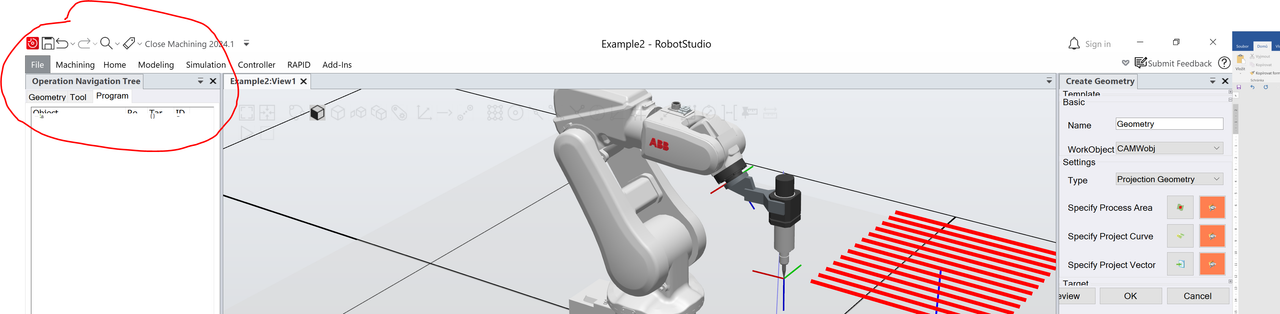
Machining PowerPac. When I use the Recommend function for the projection
curve, it does not project onto the Process Area, even though visually
it appears that it should (see attached images image 1, image3).
Hello, I am
experiencing an issue with the automatic placement of the projection curve in
Machining PowerPac. When I use the Recommend function for the projection
curve, it does not project onto the Process Area, even though visually
it appears that it should (see attached images image 1, image3).
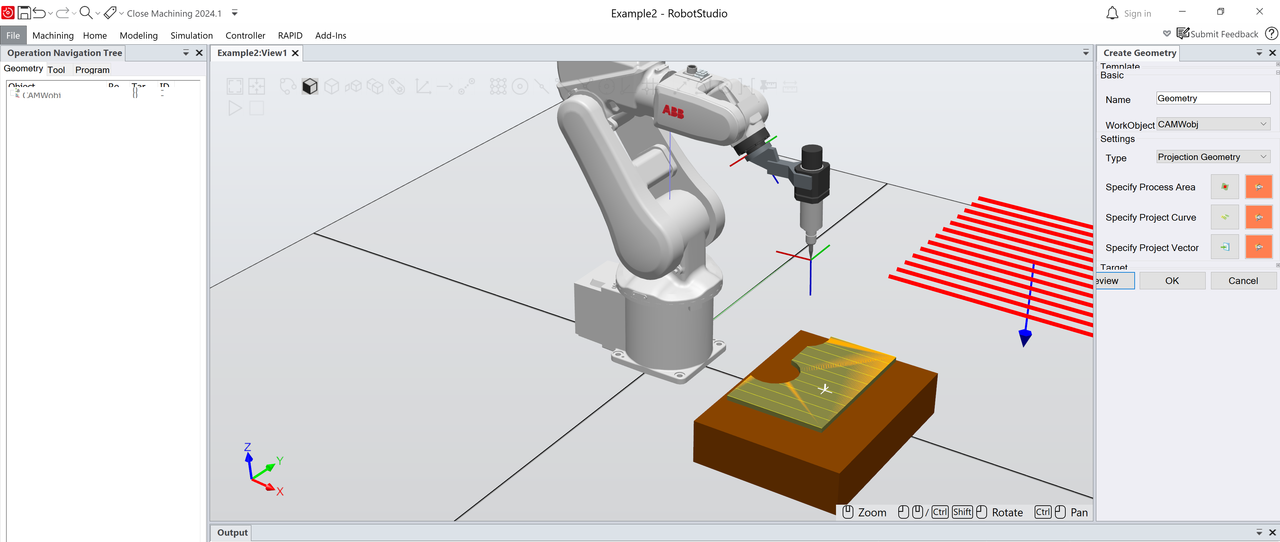
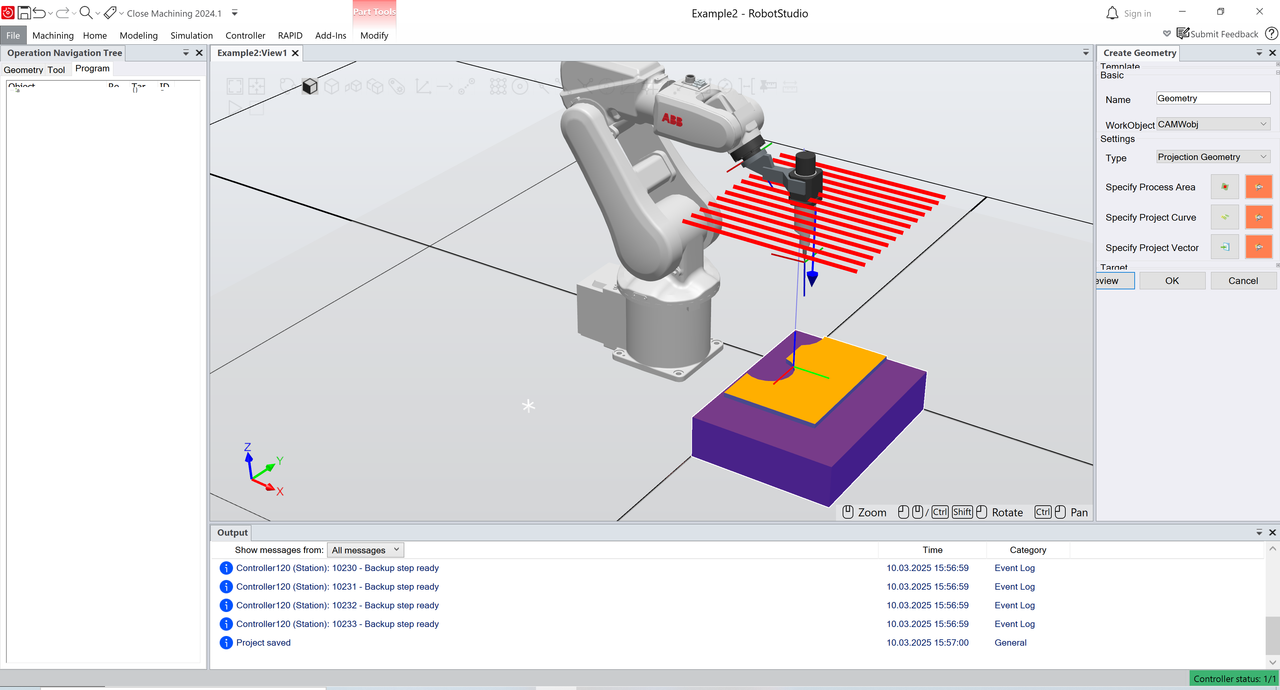
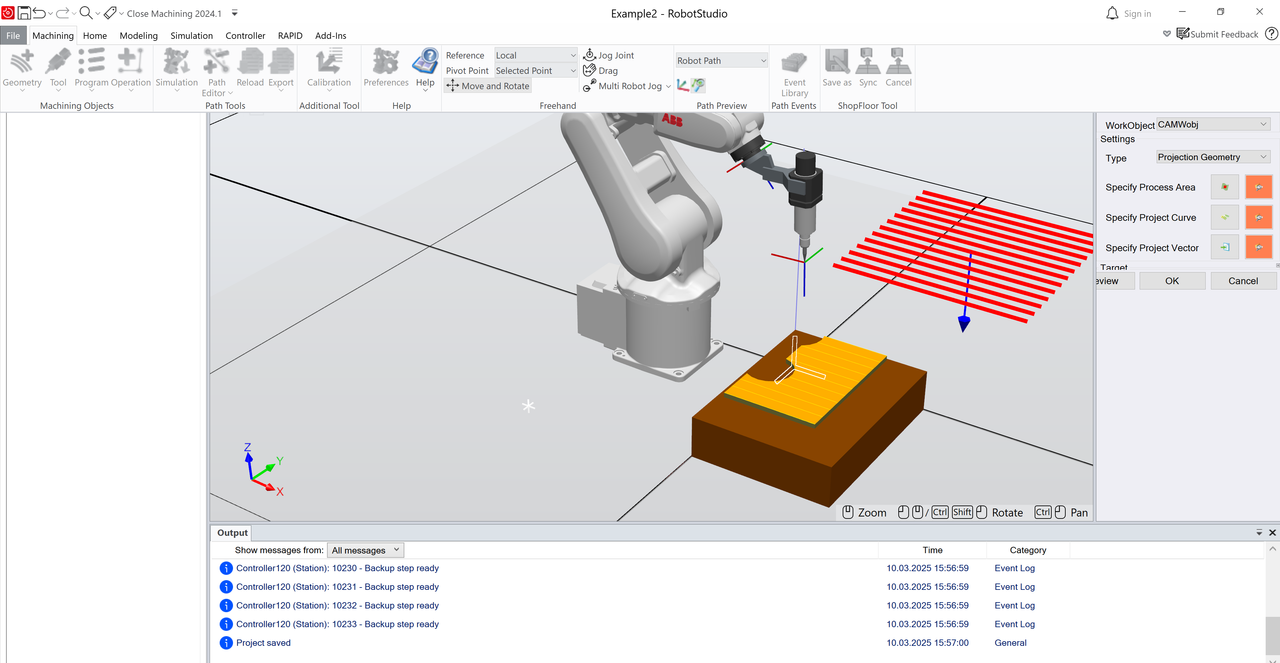
However, if I use Manual Pattern and manually offset the curve, the projection works. I do not understand the logic behind how the Recommend function determines the automatic placement. I assumed it was based on the WorkObject, but changing its position (CAMWobj) in different configurations did not yield the expected result:
- First, I placed the WorkObject at the robot base (image 1).
- Then, I aligned it with the workpiece (image 3).
In both cases, I still had to manually offset the curve. Do you have any tips or insights on how to correctly use automatic placement?
Additionally, I am experiencing a resolution issue with this PowerPac.
At my display’s recommended resolution (3840x2160), the main panel of Printing PowerPac appears distorted (see image 5). Is there an option in RobotStudio to adjust the application’s resolution settings to fix this issue?
Thank you for your help!
Categories
- All Categories
- 5.7K RobotStudio
- 402 UpFeed
- 21 Tutorials
- 16 RobotApps
- 307 PowerPacs
- 407 RobotStudio S4
- 1.8K Developer Tools
- 251 ScreenMaker
- 2.9K Robot Controller
- 368 IRC5
- 92 OmniCore
- 8 RCS (Realistic Controller Simulation)
- 859 RAPID Programming
- 43 AppStudio
- 4 RobotStudio AR Viewer
- 19 Wizard Easy Programming
- 111 Collaborative Robots
- 5 Job listings