Forum Migration Notice
Update (2026-01-21): The user forums are now in read-only mode pending the data migration.
Update (2026-01-12): The user forums will be put into read-only mode on the 21st of January, 00:00 CET, to prepare for the data migration.
We're transitioning to a more modern community platform by beginning of next year. Learn about the upcoming changes and what to expect.
Update (2026-01-12): The user forums will be put into read-only mode on the 21st of January, 00:00 CET, to prepare for the data migration.
We're transitioning to a more modern community platform by beginning of next year. Learn about the upcoming changes and what to expect.
Attaching wire feeder to robot?

Comments
-
Hi,
Yes it can be done:
- Expand the robot you should attach to in the Layout browser.

- Drag the object that should be attached to the link it should be attached to. Do not update the position if the part already is placed correctly in the space.

 Regards,AndersBest regards,
Anders Spaak
ABB Robotics0 -
Thanks a lot!
It was too simple to figure it out my self.
-Aku
0 -
Hi Tunski,You need to attach wirefeeder to appropriate iink. You can find a simple example below.BR.Erdem Karaçeper0
-
Hi Tunski,You need to attach wirefeeder to appropriate iink. You can find a simple example below.BR.Erdem Karaçeper0
-
Hi
i usually place the wire feeder in the right position using the holes on the robot as references and then drag and drop the library direct on the Link3 of the robot mechanism.
paola
0


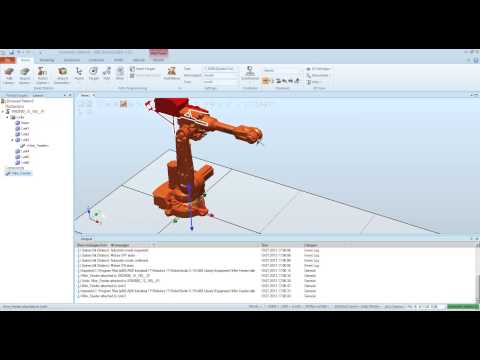 http://youtu.be/52MWR-4zl40
Categories
- All Categories
- 5.7K RobotStudio
- 402 UpFeed
- 21 Tutorials
- 16 RobotApps
- 307 PowerPacs
- 407 RobotStudio S4
- 1.8K Developer Tools
- 251 ScreenMaker
- 2.9K Robot Controller
- 368 IRC5
- 92 OmniCore
- 8 RCS (Realistic Controller Simulation)
- 859 RAPID Programming
- 43 AppStudio
- 4 RobotStudio AR Viewer
- 19 Wizard Easy Programming
- 111 Collaborative Robots
- 5 Job listings